
Product tour
Find it. Explore it. Keep it in view.
Explore the actual Gapperz interface, from a scanner result to a saved alert. Watch the captioned, 90-second walkthrough or explore the chapters at your own pace. Product captures use sample data.
90 seconds · Silent with on-screen captions · Actual interface, sample data
Download the videoExplore individual chapters and read the transcript
Actual product captures · Sample data
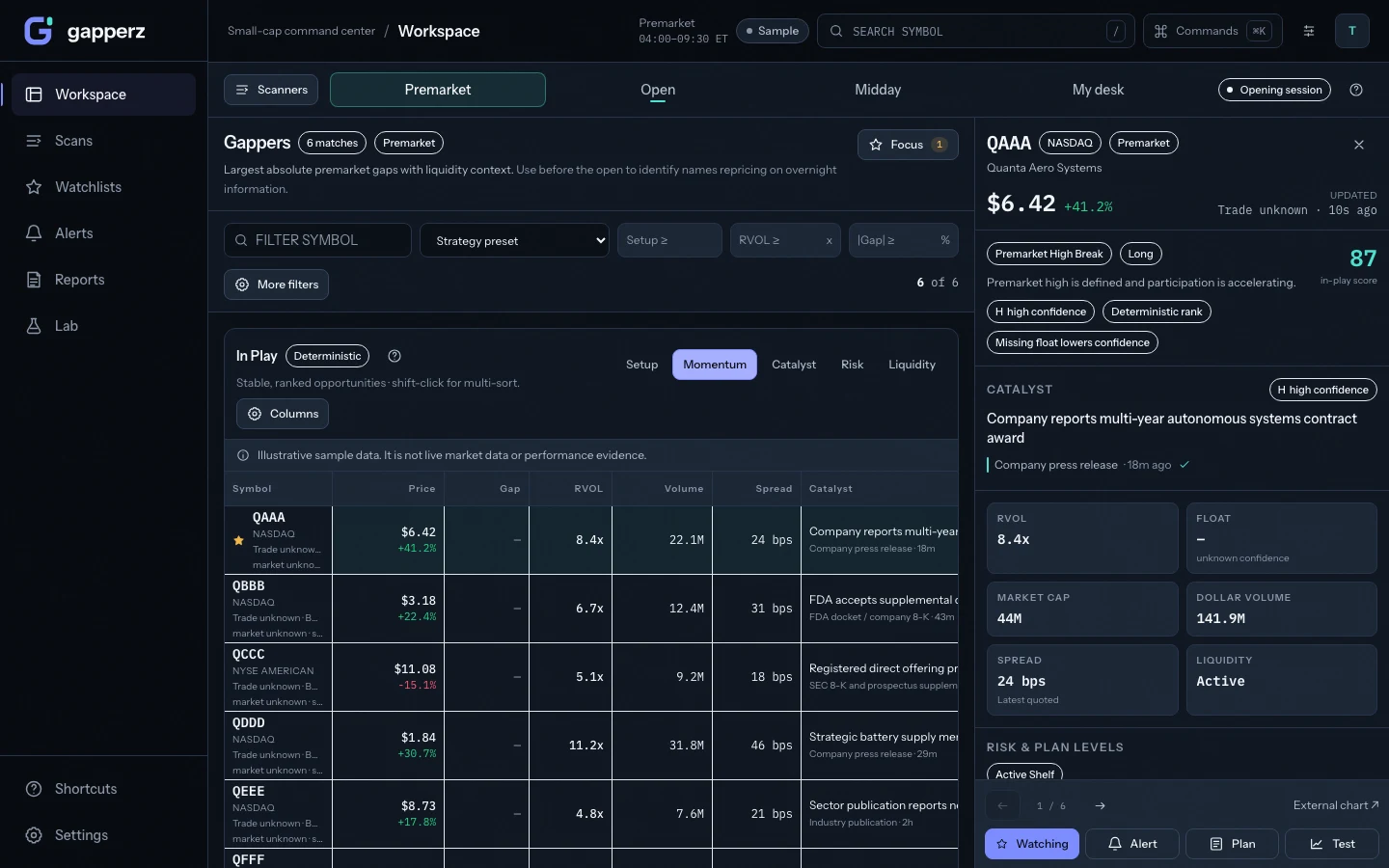
Open your workspace
Start with a ready-to-use scanner and the session’s ranked results. The data-state label stays visible above the list.
Tap the capture to inspect the full-size interface ↗
The 75-second product tour
One workspace. From scan to alert.
Six chapters through the real interface. Press play to follow along, or choose any chapter. Silent, with no autoplay.
Read the complete transcript
- Open your workspace. Start with a ready-to-use scanner and the session’s ranked results. The data-state label stays visible above the list.
- Find stocks in play. Compare price, gap, volume, and relative volume in the scanner. Select QAAA to open its linked workbench. The quotes and symbols in this tour are sample data.
- Explore the catalyst. The Catalyst tab brings the available headline, source, and timestamp into view. Optional context can be unavailable without hiding scanner results.
- Bring the chart into focus. Use the linked chart to examine price action and switch timeframes. The chart stays tied to the selected symbol.
- Review a price alert. Open Alert from the symbol workbench, choose the trigger level, select delivery, and review the rule. This example uses a single price threshold, not a combined price-and-volume rule.
- Keep the context close. Save the alert to your rules and return to the originating workspace. This shows the saved configuration, not a live market alert firing.
Good to know
Product coverage and research context
Market coverage
U.S.-listed equities in the supported scanner universe. Availability varies by session, symbol, and upstream feed.
Data & freshness
Live, delayed, replay, sample, stale and offline states are labeled so you can judge the screen before acting on it. Delayed data includes the delay interval.
Service & support
Product status · Email support. We aim to respond within one business day.
Methodology & risk
Review methodology · Read risk disclosure. Informational research tools. Not financial advice. Trading involves risk of loss.
Ready to use the real workspace?
Create an account, choose a plan, and review the terms before checkout.
Gapperz research notes
Build a research routine you can return to.
Practical scanner guides, useful worksheets, and product updates, delivered to your inbox.
Free to join. Confirm your email to subscribe. Unsubscribe any time.